Stripe integration for online invoice payments
Send a payment link with any invoice, let your client pay by card on Stripe's secure checkout, and watch the payment record itself in Belvak. Available on the Professional plan.
1
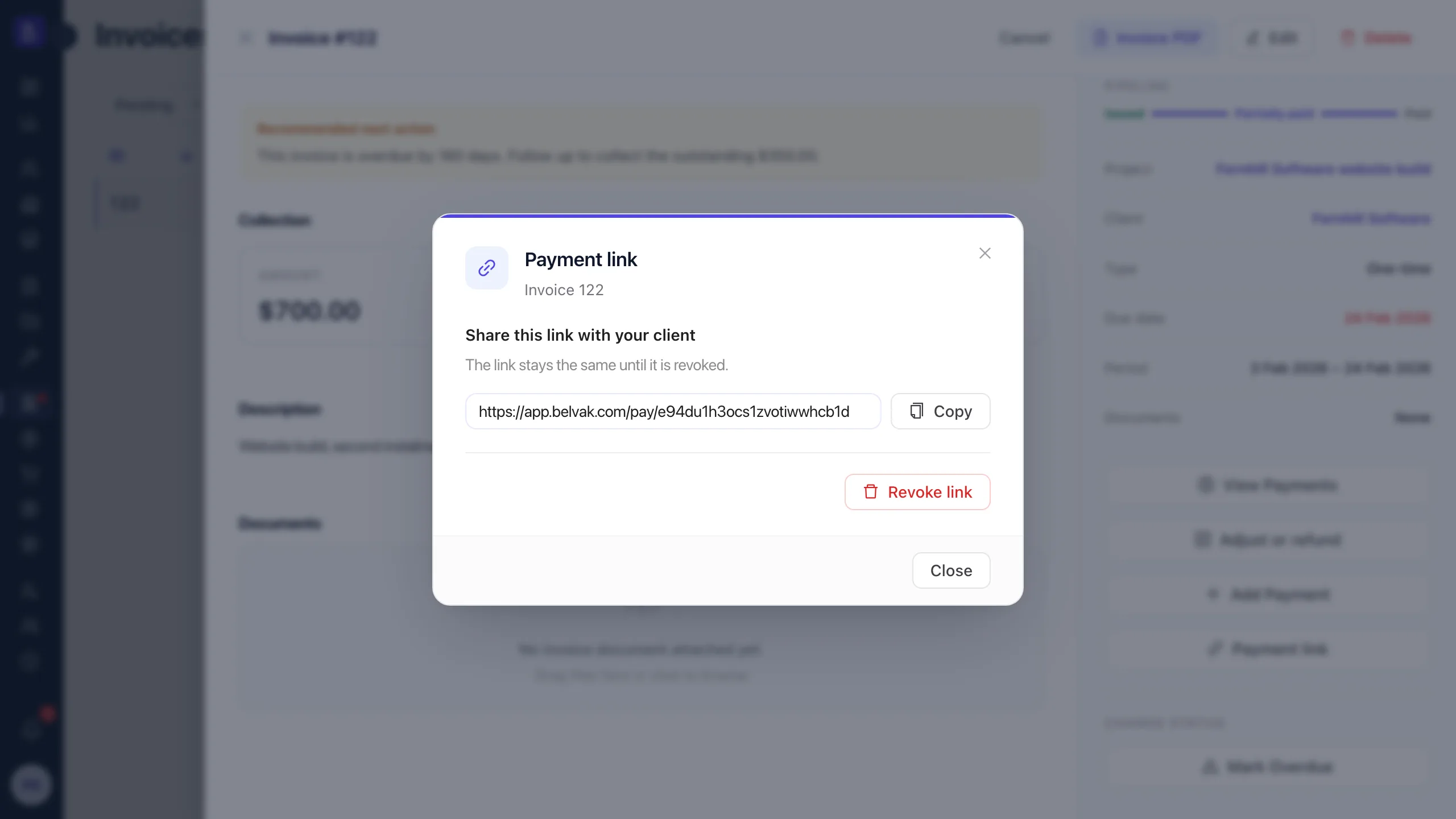
stable payment link per invoice, until you revoke it
4
currencies at launch: USD, EUR, GBP, AED
0
card details ever touch your workspace
0
manual steps to record a Stripe payment
Capabilities
From invoice to paid, without the chase
The Stripe integration closes the last gap in the billing pipeline: the part where you wait for a transfer and match it to an invoice by hand.
Connect in Settings, no code
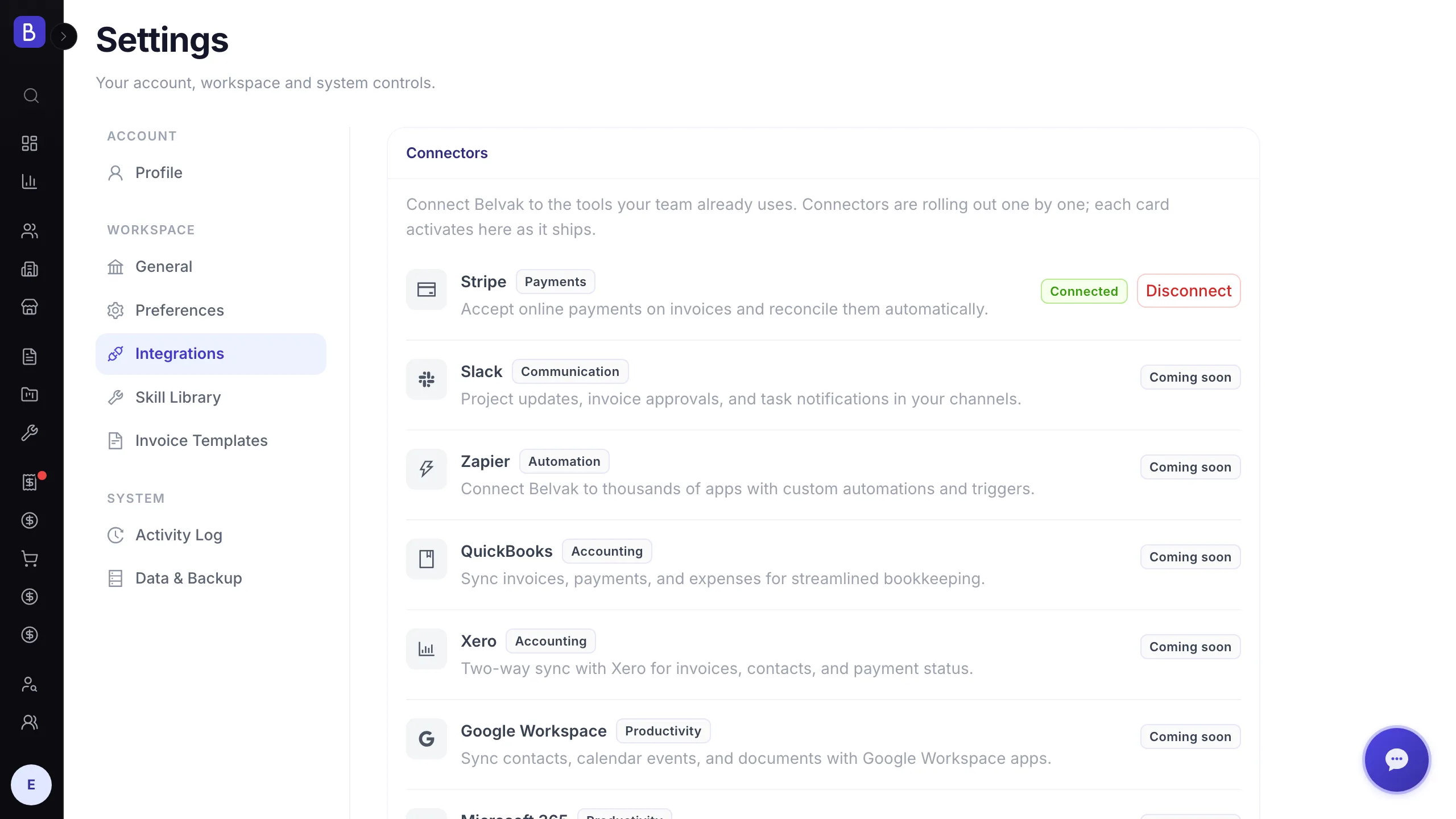
Open Settings, go to Integrations, and connect Stripe with a restricted API key from your own Stripe account. Belvak validates the key with Stripe, registers the payment webhook for you, and stores the key encrypted.
A payment link on every invoice
Every invoice can carry one shareable payment link. Copy it and send it however you already talk to the client: email, chat, or straight from a reminder. The link stays the same until you revoke it.
Clients pay on Stripe Checkout
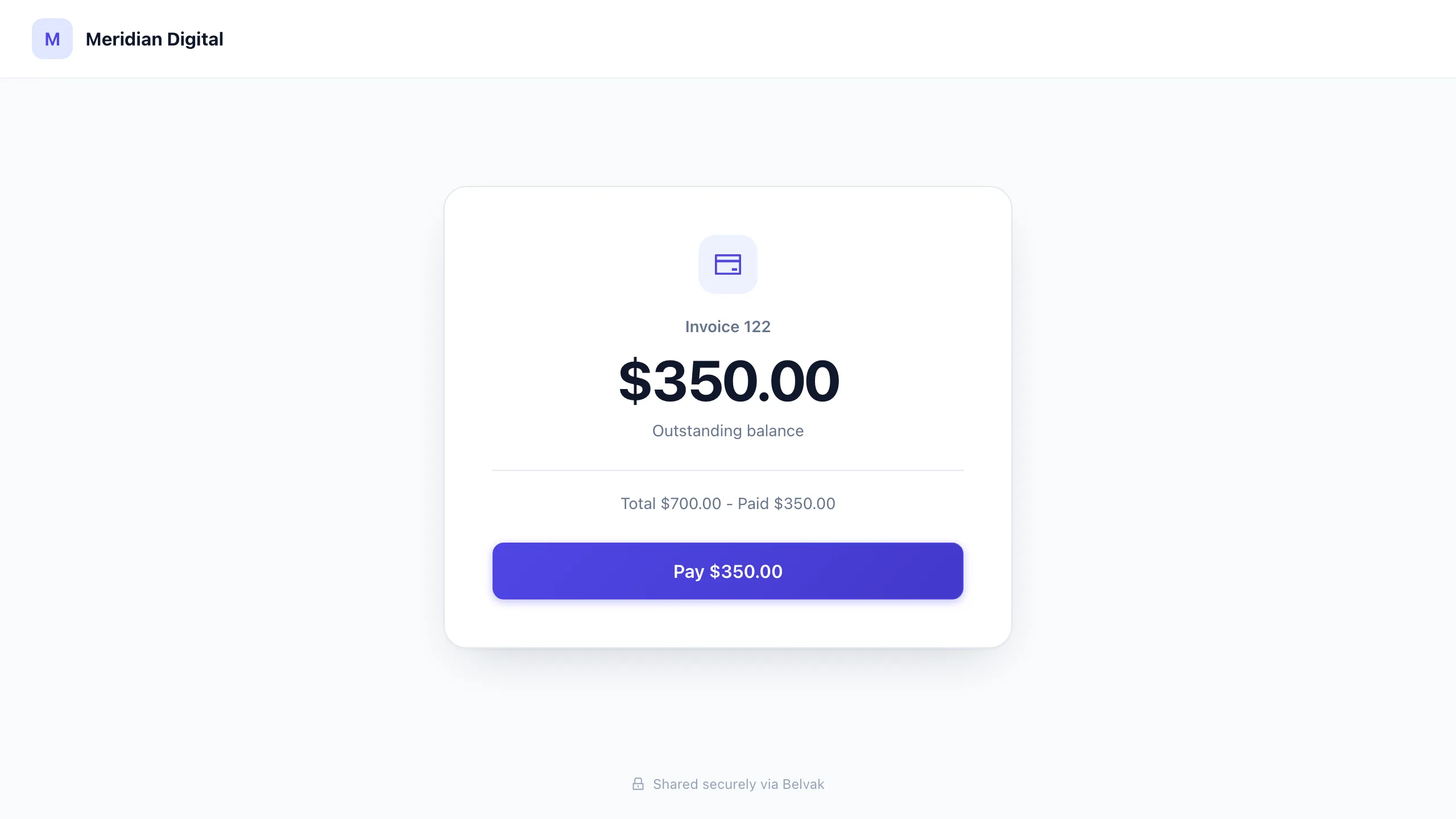
The link opens a clean payment page showing the invoice and the outstanding balance, with no login required. Paying by card happens on Stripe's own hosted checkout, so card details never touch Belvak.
Invoices complete themselves
When the payment succeeds, Belvak records it against the invoice with the Stripe reference, updates the invoice status, and even generates the referral partner commission when the client was referred. Nothing to retype.
A closer look
What you and your client actually see
No new tools to learn on either side: you share a link from the invoice you already have, and your client pays on a page that explains itself.
The client's view
A payment page that answers its own questions
Your client opens the link and sees exactly what is owed and why: the invoice number, the total, what has already been paid, and one button to pay the rest on Stripe's secure checkout.
- The outstanding balance is computed fresh every time the client opens the link
- Partial payments are handled: the client always pays what is still owed
- Your company name and logo on the page, Stripe security behind the button
Setup
Connected from Settings in about a minute
Stripe lives in the same Integrations screen as every connector we ship. Connect it once for your whole workspace, and every invoice gains the payment link action.
- Connect with a restricted Stripe API key, created in your Stripe dashboard
- Belvak registers the Stripe webhook automatically when you connect
- Disconnect anytime from the same screen; the key is removed with it
How it works
Four steps from connected to collected
01
Connect Stripe
In Settings, open Integrations and connect your Stripe account with a restricted API key. One time, about a minute.
02
Create a payment link
Open any invoice and click Payment link. Belvak creates one stable link for that invoice, ready to copy and share.
03
Your client pays by card
The link shows the outstanding balance and opens Stripe's secure hosted checkout. No account, no login, no friction.
04
The invoice completes itself
The payment is recorded with its Stripe reference and the invoice status updates on its own.
FAQ
Common questions about the Stripe integration
Which plan includes the Stripe integration?
Stripe online payments are a Professional plan feature. On the Free plan the Integrations screen stays visible so you can see what an upgrade unlocks, but connecting Stripe requires Professional.
Do I need a Stripe account to use this?
Yes. Payments go directly into your own Stripe account, so you need one, and you connect it to Belvak with a restricted API key. Creating the key takes a minute in the Stripe dashboard and requires no code.
Does Belvak charge transaction fees on top of Stripe?
No. Belvak adds no per-transaction fee. Your client pays through your own Stripe account, so the only processing cost is Stripe's own standard fee.
What does my client see when they open the link?
A clean payment page with your company name, the invoice number, and the outstanding balance, plus a pay button that opens Stripe's secure checkout. Clients do not need a Belvak account or any login.
What happens if the invoice is partially paid?
The link always charges the current outstanding balance, not the original total. If a client already paid part of the invoice, the payment page shows the remaining amount and Stripe charges exactly that.
Which currencies are supported?
USD, EUR, GBP, and AED at launch, with Stripe's own minimum charge amounts applying per currency. Invoices in other currencies keep working as usual; they just use recorded payments instead of the Stripe link.
Keep exploring
Part of the same billing pipeline
The Stripe integration plugs into the invoicing you already run in Belvak, from one-time projects to recurring contracts.
Stop chasing transfers
Connect Stripe once, send a link with every invoice, and let payments record themselves.
Free for 1 user. Team access and advanced features require Professional.