Free Invoice Generator
Our free invoice maker has 12 ready-made templates. Pick one, customize every detail, and download a print-ready PDF invoice. No account, no email gate, no watermark.
12 pro templates
Pick from Classic, Modern, Minimal, Bold, Corporate, Executive, Creative, Professional, Retail, Contractor, Tech, and Elegant presets.
Edit anything inline
Click any field on the preview to change it: company name, client address, line items, totals, terms, anything.
Instant PDF
The invoice builder exports a print-ready A4 PDF in one click. Consistent fonts, clean margins, no formatting drift.
See it in action
Watch a quick walkthrough: pick a template, customize the design, and download a print-ready PDF.
How to create an invoice
Four steps. About a minute from blank page to a PDF in your downloads folder.
- 1Pick a template
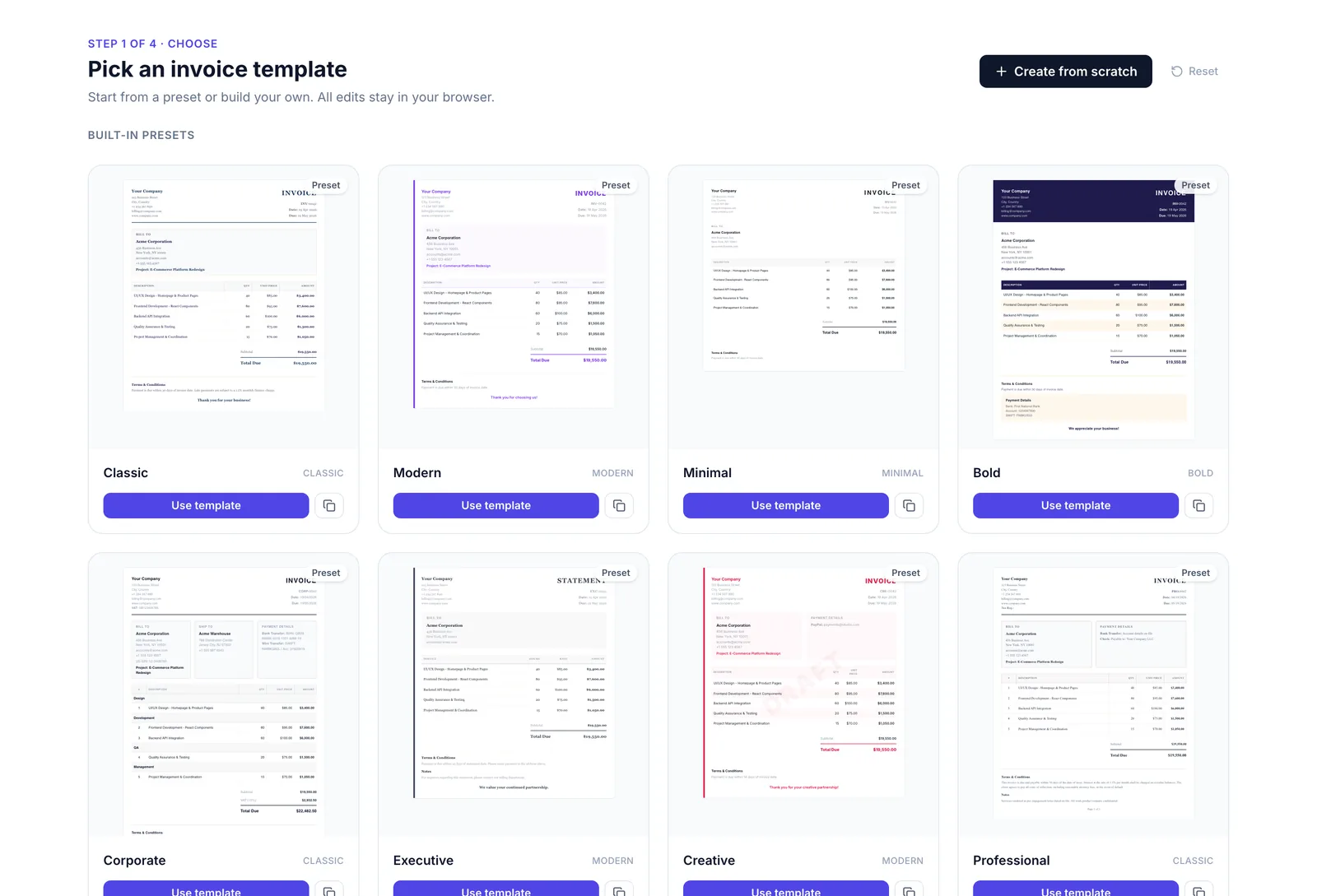
Start from 12 ready-made styles
Classic, Modern, Minimal, Bold, Corporate, Executive, Creative, Professional, Retail, Contractor, Tech, and Elegant. Hover a card to preview, click to open it in the editor. Or pick "Create from scratch" for a blank canvas.
- Built for freelancers, contractors, agencies, and retail
- Every preset is print-ready for A4
- Switch templates anytime without losing your data
- 2Customize the design
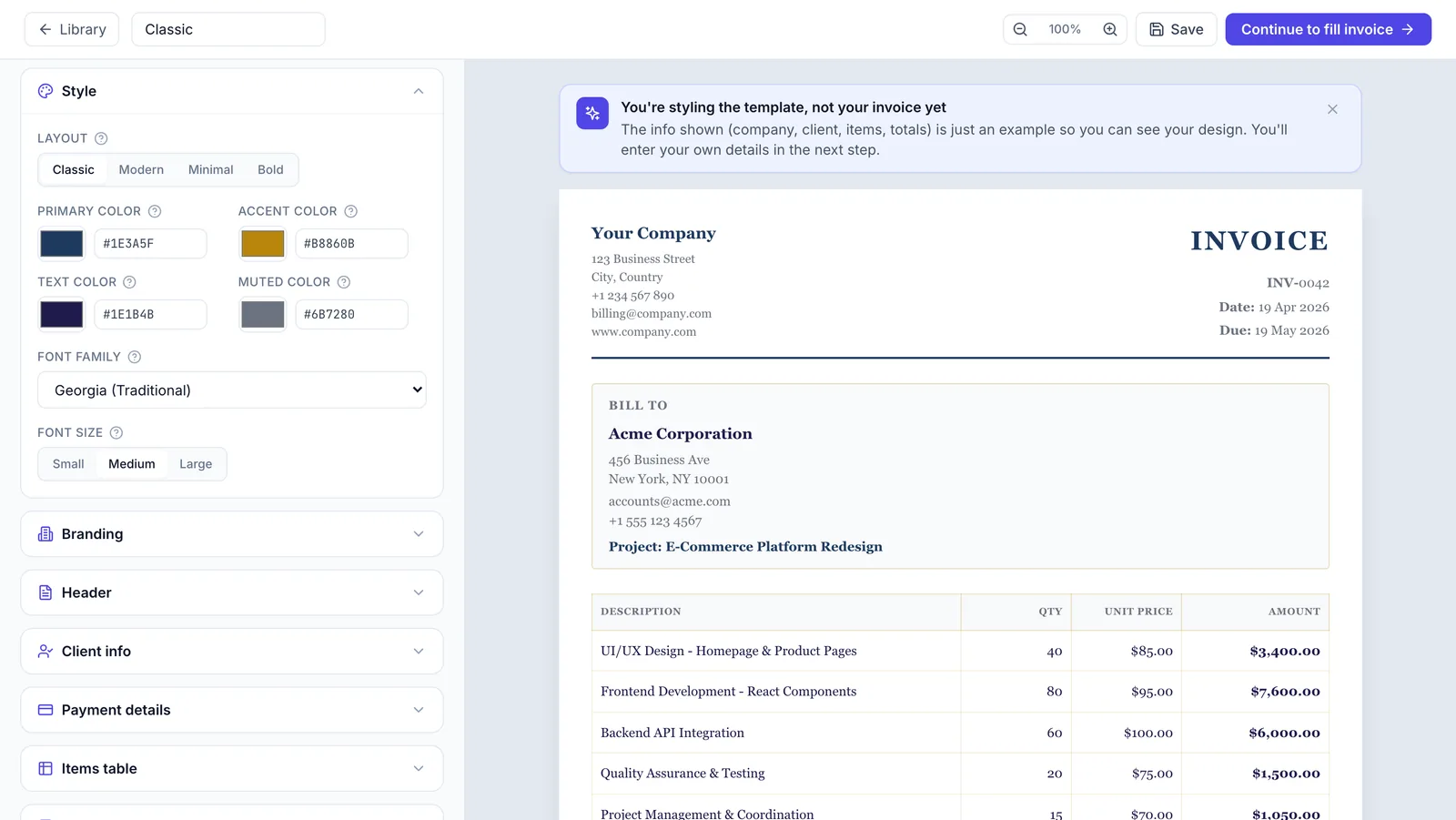
Make it look like your brand, not ours
Change primary and accent colors, swap the font, switch between Classic, Modern, Minimal, and Bold layouts, and toggle which sections appear on the invoice. The preview updates live as you tweak.
- Primary, accent, text, and muted colors
- Six professional font families
- Toggle branding, header, client info, totals, and footer
- 3Fill in your invoice
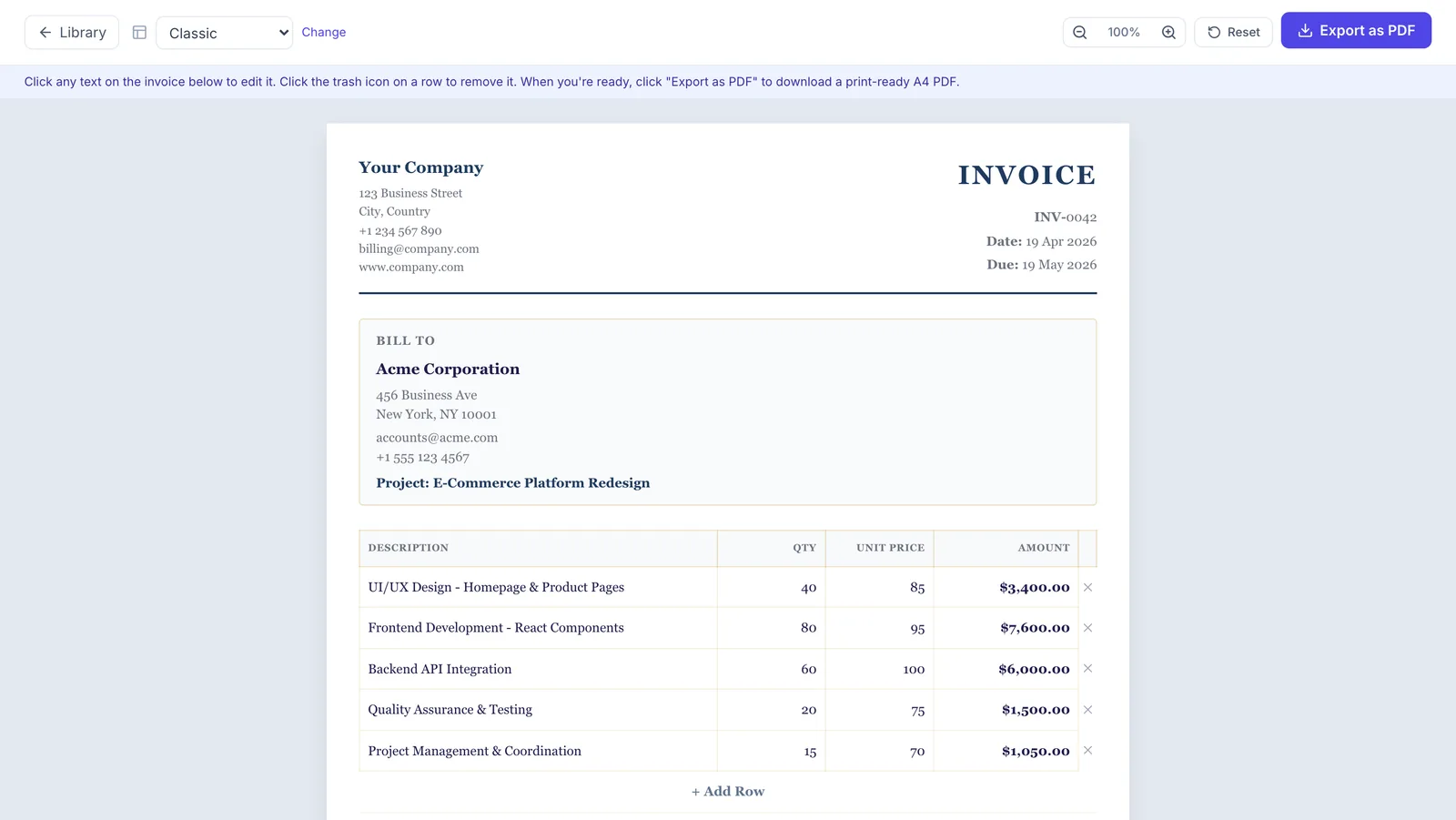
Click any field. Totals calculate themselves.
Every line on the A4 preview is clickable. Type your company info, client, line items, and terms straight onto the invoice. Subtotals, tax, and discounts update live as you type.
- Upload your logo (PNG or JPG, stays in your browser)
- Add and remove line items in one click
- Auto-saves a draft so you don't lose work on refresh
- 4Download PDF
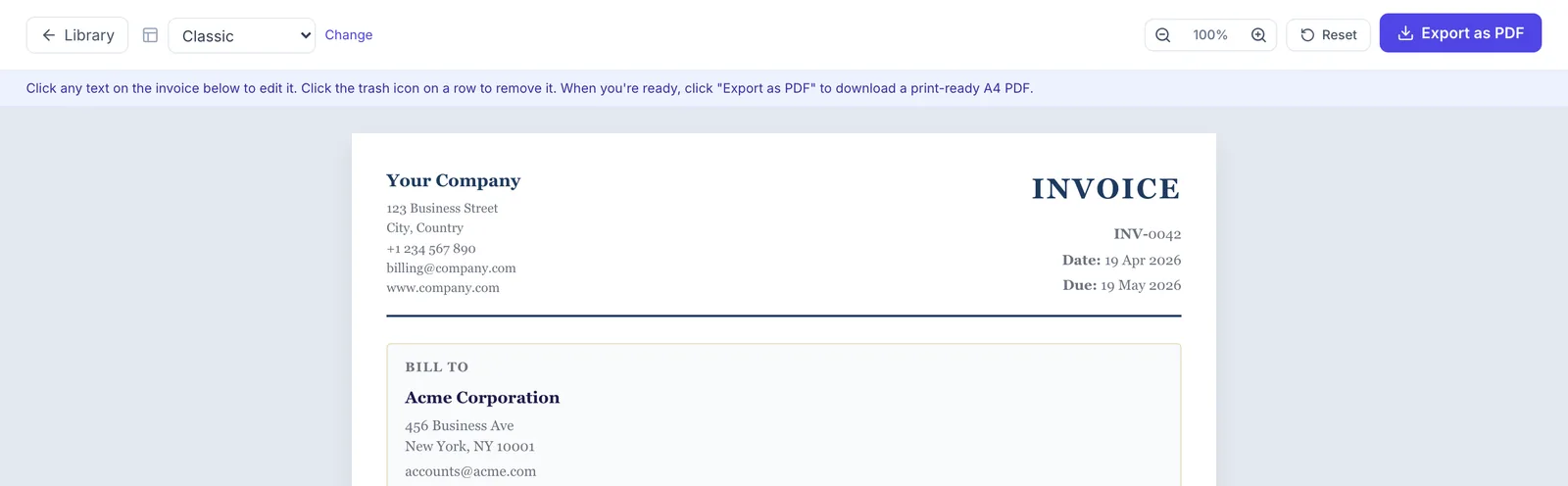
One click for a print-ready A4 PDF
Hit "Export as PDF" in the toolbar. The file saves straight to your device with no watermark, no email gate, and no "Save As..." dance. Send it from your own email or print it for mailing.
Built with privacy by default
Your templates stay in your browser. Invoice content only reaches our PDF service when you click Export, and we don't log or store it.
- No account or email required
- Templates saved in your browser's local storage
- PDF renders server-side for consistent output, then your data is discarded
- No watermark on exported PDFs
- No tracking on what you type
Runs entirely in your browser.
Frequently asked questions
Is this invoice generator really free?
Yes, completely free. No sign-up, no email required, no watermarks on your PDF. Your templates and invoices stay in your browser's local storage.
Will my data be sent to a server?
Editing is fully local. Nothing is sent while you type, and your templates live in your browser. The only time invoice content leaves your device is when you click Export: it's sent to our PDF renderer, converted to a PDF, and discarded. We don't log or store it.
How do I download my invoice as a PDF?
Once you're happy with your invoice, click the 'Download PDF' button. The file downloads straight to your device. You can also use the 'Print' option to save via your browser's native print-to-PDF dialog.
Can I add my own logo?
Yes. Upload a PNG or JPG up to 200 KB. Your logo is embedded directly in the template (as a data URL), so it travels with the PDF.
Can I create my own invoice template from scratch?
Yes. Click 'Create from scratch' in the library to start with a blank template, or duplicate any preset and customize everything: colors, fonts, layout, columns, tax, discounts, watermark, stamp, and more.
Do I need an account to save my templates?
No. Templates are saved to your browser's local storage automatically. If you clear your browser data or switch devices, you'll need to recreate them.
Can I send the invoice to my client from here?
Not directly. Download the PDF and send it from your email or preferred tool. If you want built-in sending, client CRM, payment tracking, recurring invoices, and more, check out Belvak.
What file format does it export to?
Standard A4 PDF. Print-ready, emailable, and accepted by every accounting and tax system we've tested.
What should an invoice include?
At minimum: your business name and contact info, the client's details, a unique invoice number, issue date, due date, an itemized list of products or services with quantities and rates, subtotal, tax (if applicable), total due, and payment instructions. All 12 presets cover these fields out of the box.
What's the difference between an invoice and a receipt?
An invoice is a request for payment sent before the client pays. A receipt is proof of payment issued after money has changed hands. You send an invoice to ask for money; you send a receipt to confirm you got it.
What's the difference between an invoice and a bill?
They're often used interchangeably, but technically a bill is what you receive from a supplier and an invoice is what you send to a client. Same document, different perspective.
Do I need to charge tax on an invoice?
It depends on your location, business registration, and what you're selling. In many countries you only charge VAT/GST once you're registered or pass a revenue threshold. Check your local tax authority's rules. Our templates support tax as a flat percentage on the subtotal or per-line-item.
How do I number invoices?
Pick a system and stay consistent. Most small businesses use sequential numbers (INV-0001, INV-0002) or year-based (2026-001, 2026-002). Never reuse numbers or skip sequences, since that confuses accounting and can flag tax audits.
What's the best invoice format for small business?
A clean, scannable PDF with your logo, a unique invoice number, clear line items, subtotal, tax, total, payment terms, and a due date. All 12 of our presets are built around this structure, so just pick the visual style that matches your brand.
How long should I give clients to pay an invoice?
Net 30 (30 days from issue) is the most common default. For new or smaller clients, Net 15 or 'Due on receipt' is safer. Agree terms upfront in your proposal or contract so there are no surprises when you invoice.
Can I make a recurring invoice?
Not in the free generator. It creates one-off PDFs. For recurring billing, service contracts for recurring maintenance, automatic send schedules, and payment tracking, see the full Belvak app.
Can I edit an invoice after sending it?
If the PDF is already with your client, don't silently edit it. Issue a corrected invoice with a new number (or a credit note) so both sides have a clear audit trail. Silent edits create reconciliation problems during tax season.
What's the difference between an invoice generator, an invoice maker, and an invoice template?
In practice the terms overlap. An invoice template is a static layout you fill in (Word, Excel, a PDF). An invoice generator or invoice maker is a tool that takes your inputs and produces a finished, downloadable PDF, which is what this page does. All 12 of our presets work as both: pick one, fill it in, download.
How is this online invoice builder different from Excel or Word?
Three things. One, every field is clickable and styled already, so there's no formatting drift when you tweak a number. Two, totals, tax, and discounts calculate automatically. Three, one click exports a print-ready A4 PDF, with no 'Save As PDF' dance, no margin issues, and no missing fonts.
Need more than invoicing?
If you like this free online invoice maker but need recurring billing, client tracking, and payments, Belvak is the full version. It's a full operations platform for service businesses: projects, clients, proposals, service contracts, and payroll, all in one place.