Invoicing software from issued to paid
Bill against your projects and contracts, then track every invoice until the money lands. Built for service companies of 5 to 50 people, from consultancies to staffing and recruitment agencies. One-time invoicing is available on Free. Recurring billing, online payments, and multiple currencies require Professional.
12
invoice templates built in
50+
currencies supported
1-click
PDF export on any invoice
0
recurring invoices sent without your approval
Capabilities
Invoicing that works the way you bill
Belvak keeps billing tied to the projects and contracts behind it, so invoices carry the right client and currency without retyping.
12 templates, your branding
Start from 12 built-in invoice designs: Classic, Modern, Minimal, Bold, and more. Every one is fully editable in the template editor: logo, colors, and layout. Duplicate a design and customize it to make it your own.
Recurring billing you approve
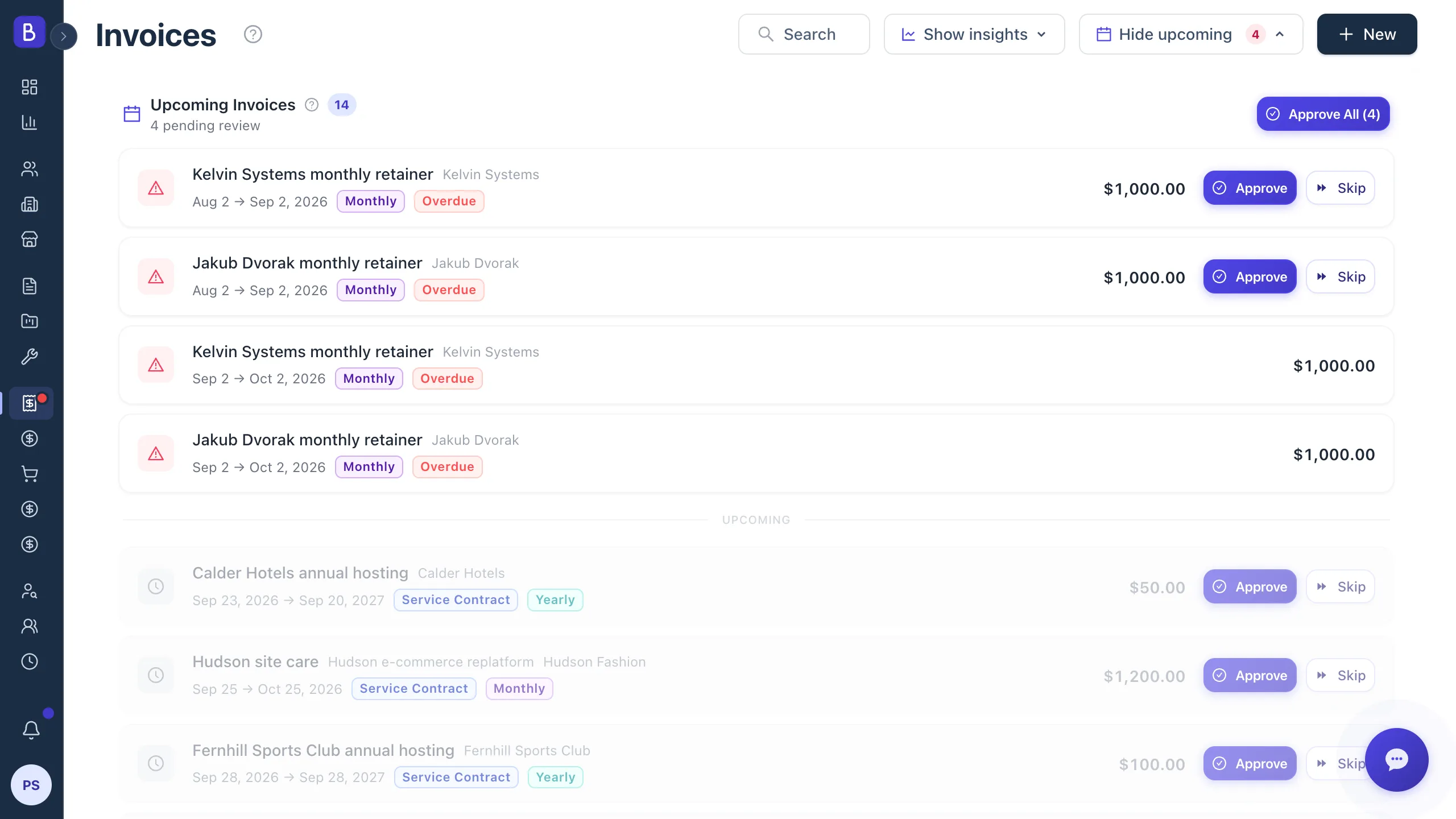
Recurring projects and service contracts queue their billing periods in one Upcoming Invoices screen. Approve one, skip one, or approve all at once. Nothing is ever sent without your say.
Payments that update statuses
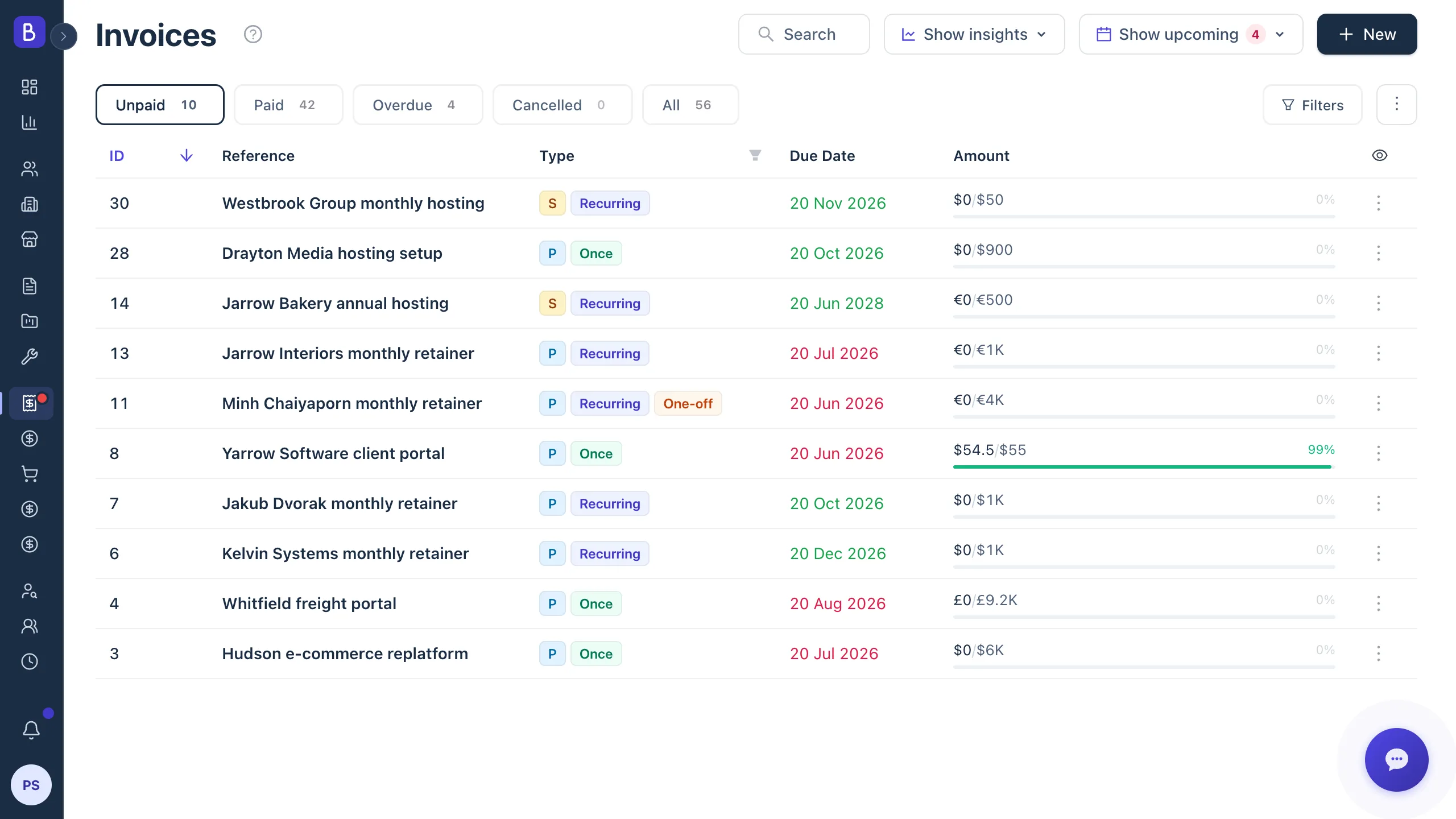
Record full or partial payments against any invoice. When payments cover the amount, the invoice marks itself Paid, and it reverts if a payment is removed. Overdue invoices flag themselves by due date. Statuses stay Unpaid, Paid, or Overdue on their own.
Multi-currency by default
Each invoice carries its own currency, inherited from the project it bills. Totals and collection views convert honestly to your default currency, so a mixed-currency book still adds up to one clear number.
A closer look
How billing stays under control
Recurring work queues for your approval, and payments reconcile the moment you record them.
Recurring billing
Approve billing period by period
Due periods across all your recurring projects and service contracts appear in one queue. Review what is due, then approve or skip each period, so nothing bills before you are ready.
- Due and overdue periods listed across all clients
- Approve one, skip one, or approve all at once
- Billing stops automatically at the contract end date
Payments
Reconciled the moment you record them
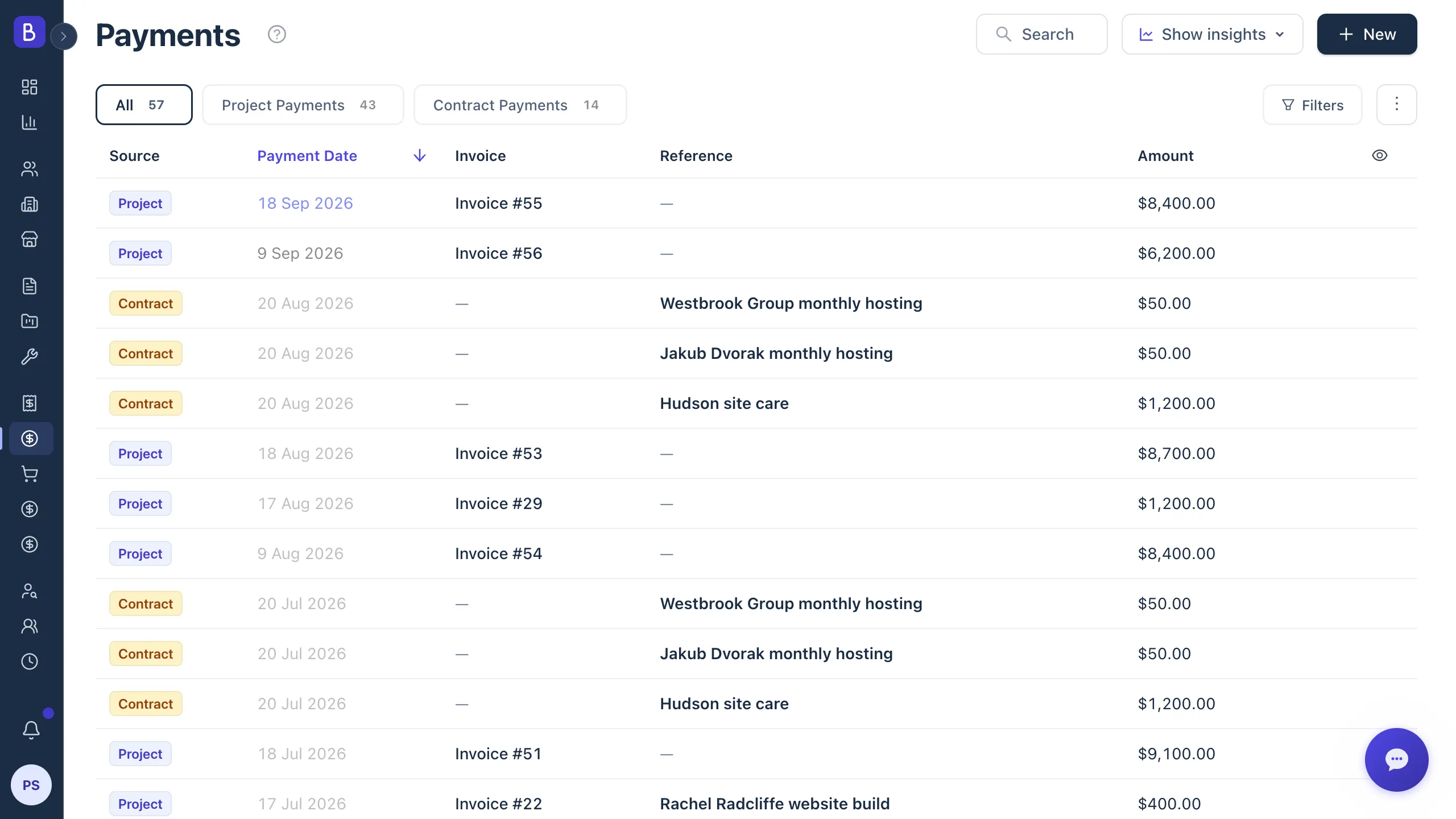
Record a payment and the invoice, project, and client financials update together. No second entry, no separate ledger to keep in sync.
- Partial payments supported with overpayment guards
- Invoices mark themselves Paid when fully covered
- Every payment links back to its invoice and client
- Client statement of account for any period, as a PDF ledger
How it works
From issued invoice to paid balance
01
Create the invoice
Start from project or contract data, with the project, dates, and currency carried over. No retyping what Belvak already knows.
02
Pick a template
Choose one of 12 designs and export a branded PDF in one click, ready to send to the client.
03
Record payments
Enter full or partial payments as they land. Statuses update themselves, so you never track them by hand.
04
Paid
The invoice marks itself Paid once fully covered, and the client's balance is up to date across the workspace.
FAQ
Common questions about invoicing in Belvak
How does recurring invoicing work?
Recurring projects and service contracts queue each billing period in the Upcoming Invoices screen. You approve or skip each one, and nothing is sent automatically. You stay in control of every period that goes out.
Can I invoice extra work that was not in the original contract?
Yes, on a one-time project. Record the extra scope there as an additional work item, then bill it in one step: Belvak raises a new invoice for that item alone, with the due date and taxes you pick and a gross total shown before you confirm. The invoice stays linked to the item, and invoices you have already issued are never rewritten, so the original billing is left untouched.
Can I record partial payments?
Yes. Record any partial payment against an invoice and it stays Unpaid until the full amount is covered, then it marks itself Paid. Overpayment is blocked, so a payment can never exceed what is owed.
Can I customize invoice templates?
Yes. Belvak ships 12 built-in invoice designs, and the template editor lets you adjust the logo, colors, and layout. Duplicate any design and adapt it, so your invoices carry your branding.
Does Belvak support multiple currencies?
Yes, more than 50 currencies. Each invoice has its own currency, inherited from the project it bills, so you can invoice clients in the currency they expect and still see one converted total.
How are overdue invoices handled?
Invoices flag themselves as Overdue by their due date, so nothing slips quietly. Receivables aging on the analytics dashboard shows exactly what is stuck and how long it has been outstanding.
Keep exploring
Connected to everything else in Belvak
Invoicing pulls from proposals, projects, and contracts, and feeds every client record and the analytics dashboard.
Invoice the work, collect the money
Belvak keeps billing tied to your projects and contracts, so nothing goes uninvoiced and nothing goes unnoticed.
One-time invoicing is available on Free. Recurring billing, online payments, and multiple currencies require Professional.