Employee management software for small teams
Keep your team's profiles, pay, and hours in one place, without the enterprise HR bloat. Built for service companies of 5 to 50 people. Employee management and payroll are available on Professional.
4
salary pay schedules
5
compensation types, salaried to hourly
50+
salary currencies
payslips on demand
Capabilities
Everything your team needs, nothing it does not
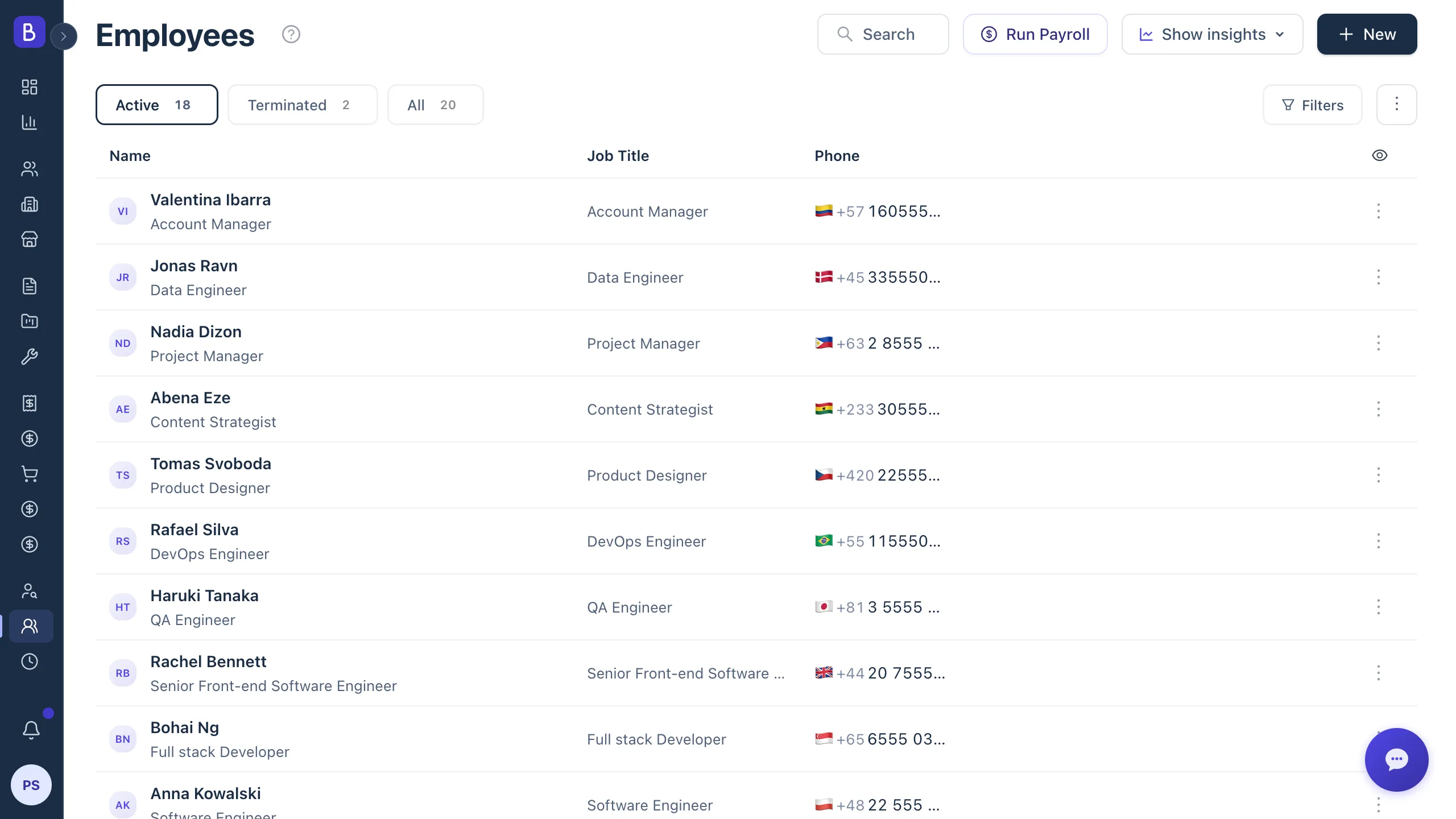
Belvak keeps the parts of HR a small service company actually uses: who is on the team, how they are paid, and where their hours go.
Profiles that fill themselves
One record per employee: role, contact, emergency contact, skills, documents, and location. Upload a CV and the profile details are extracted for you to review.
Payroll on your schedule
Weekly, bi-weekly, semi-monthly, or monthly pay schedules with configurable pay days. When you run Payroll, Belvak creates the pending payroll records for salaried employees and pays hourly contractors their submitted timesheet hours at the cost rate you set.
A clean payment lifecycle
Every payment moves from pending to paid, or cancelled, with paid dates recorded and a payslip PDF one click away. Salaries in any of 50+ currencies.
Hours against projects
Invite employees to sign in and log time against their projects. Compare expected against logged hours and see the labor cost behind every engagement.
Payroll
Payroll that stays a review step
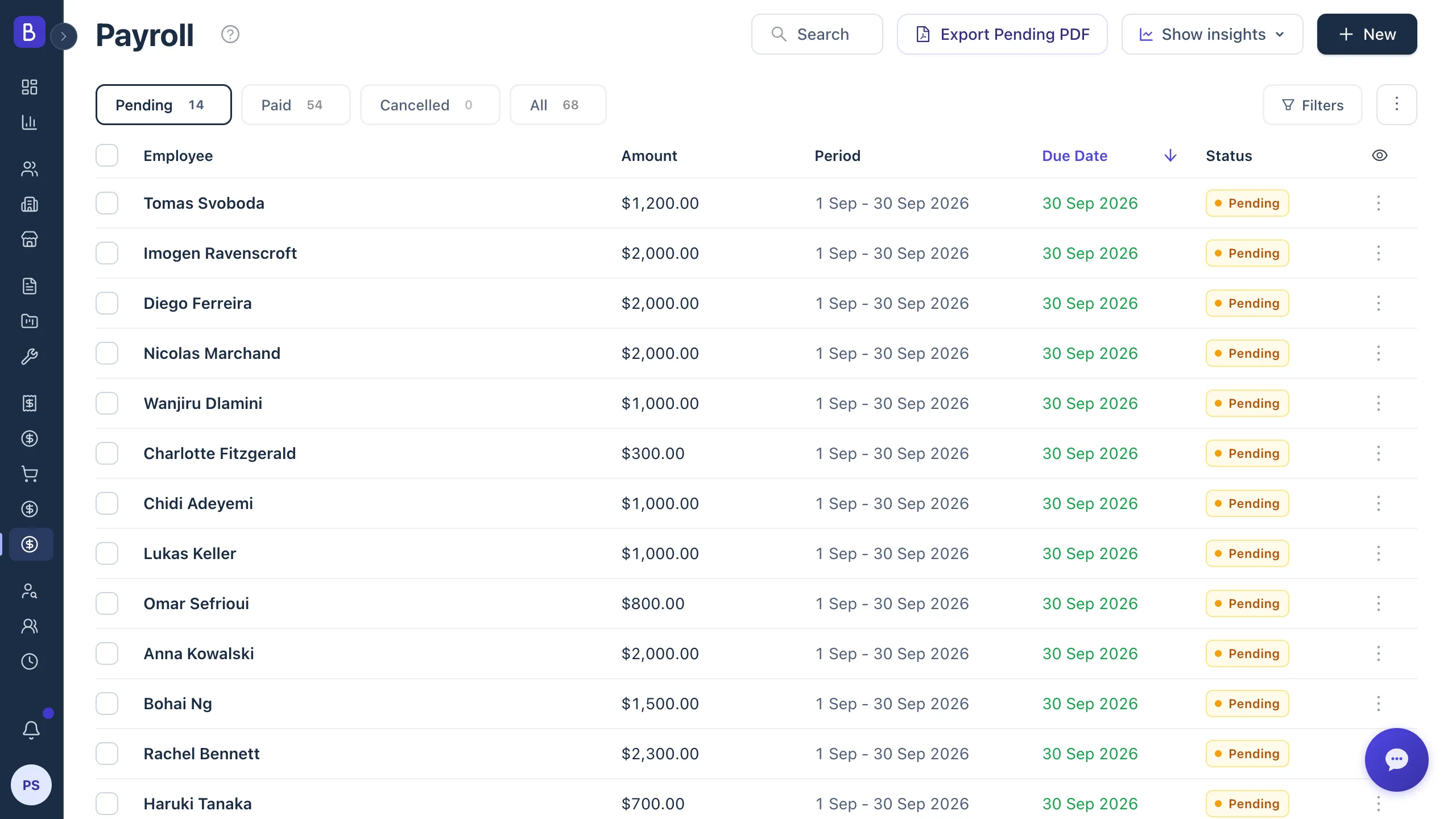
You generate the payment records in one step, so payday is about checking numbers, not building them from scratch.
Payroll
Payment records in a single step
When you run Payroll, Belvak creates the pending payroll records for every eligible employee, salaried or hourly, so payroll becomes a review step instead of a spreadsheet session.
- Pending payroll records created on demand when you run Payroll
- Mark paid in bulk or one by one, with paid dates recorded
- Payslip PDF export for any payment
How it works
From new hire to paid, in four steps
01
Add your people
Create a profile with skills and documents. Upload a CV and the details fill in for you to review.
02
Set the pay schedule
Pick one of four schedules and the pay day that matches how your payroll actually runs.
03
Review generated payments
Run Payroll and the pending records appear for salaried employees, ready for you to check before anything is marked paid.
04
Mark paid
Paid dates are recorded, a payslip PDF is exported, and the history is kept per employee.
FAQ
Common questions about employee management in Belvak
Does Belvak replace a payroll provider?
No. Belvak tracks compensation and generates payment records with full history for every employee. It does not move money or file taxes, so it sits alongside whatever provider handles the actual transfers.
Which pay schedules are supported?
Weekly, bi-weekly, semi-monthly, and monthly, each with configurable pay days. Freelancers on an hourly basis are paid from their timesheets instead: Run Payroll turns each eligible submitted week into a payment of the hours worked at the cost rate on their record, so nobody is forced onto a schedule that does not fit.
Can salaries be in different currencies?
Yes. Each employee has their own salary currency, with 50+ supported, so a mixed local and international team is paid in the right currency without workarounds.
Can employees log in?
Yes. Invite an employee to sign in with role-based permissions, including the ability to log their own time against the projects they are assigned to.
Who can see salaries?
Role-based permissions keep compensation visible only to the roles you allow, so you can give team members what they need without exposing pay to everyone.
Does it include time tracking?
Yes. Employees log hours against projects, and expected against logged hours plus the resulting labor cost are visible to managers, so you can see where time actually goes.
Keep exploring
Connected to everything else in Belvak
Your team sits beside the work itself: candidates become employees, projects log their hours, and payroll lands next to the money coming in.
Your team, paid on time, every time
Profiles, payroll records, and hours in the same platform as the work itself.
Employee management and payroll are available on Professional. Free is for 1 user.