Ask your business anything
Ask about revenue, unpaid invoices, clients, or payroll in plain English and get an instant answer from your own data. No reports to build, no queries to write. Made for service companies of 5 to 50 people. The AI business assistant is available on Professional.
Ctrl+K
opens it from any screen
Read-only
it never changes your data
Tables
multi-row answers arrive formatted
Role-aware
answers respect each user's permissions
Capabilities
A business analyst you can just talk to
Ask a question the way you would ask a colleague, and get the answer from your live workspace data instead of building a report.
Plain English in, answers out
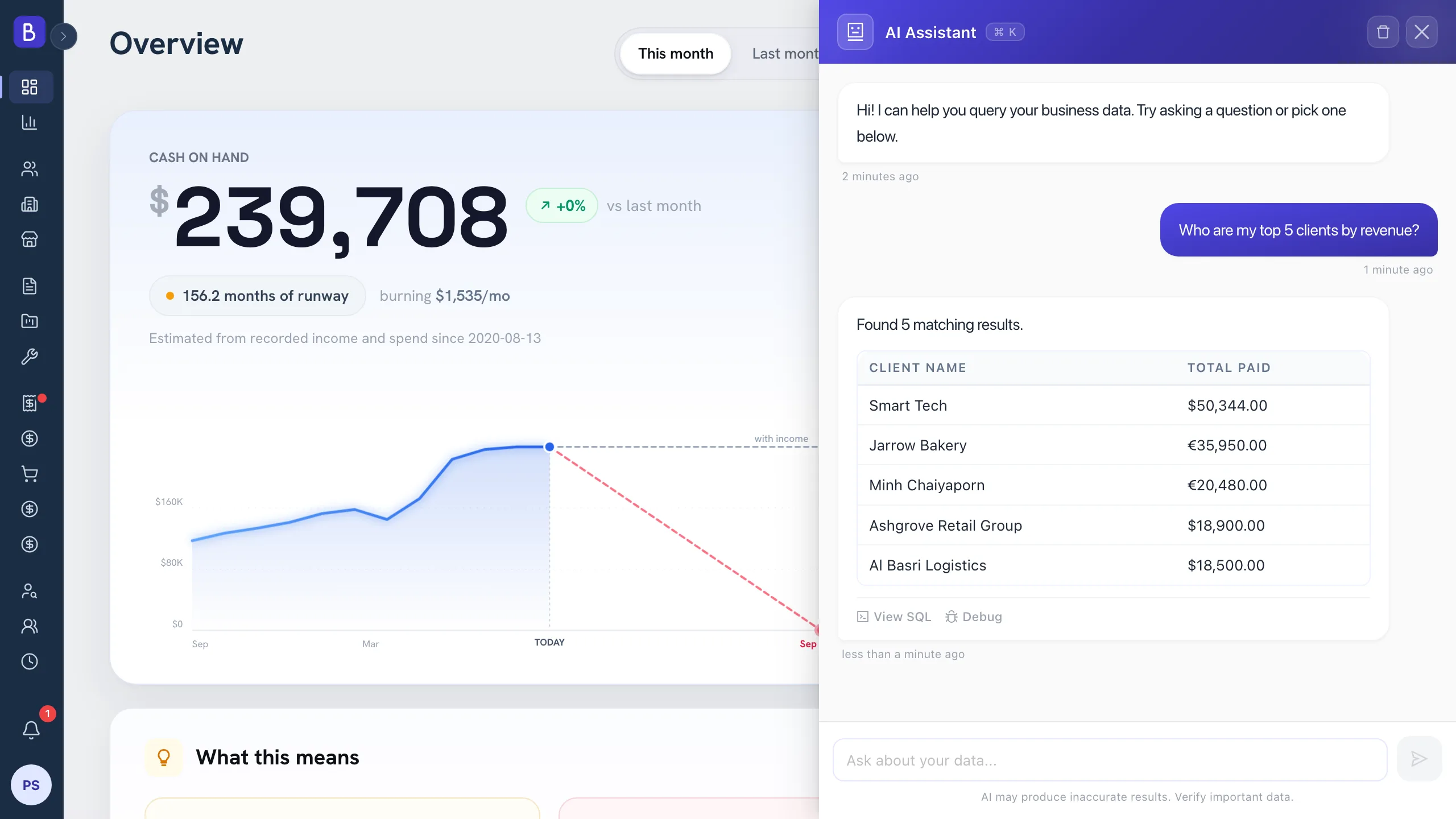
Ask about revenue, unpaid invoices, top clients, project status, or payroll the way you would ask a colleague. The assistant reads your live workspace data and answers in seconds.
Tables when tables are better
A question with many results comes back as a clean, formatted table instead of a wall of text, so you can scan the answer at a glance.
Private and permission-aware
The assistant only sees your workspace's data, only answers within what the asking user's role is allowed to view, and never writes or changes anything.
It keeps up with the conversation
Ask a follow-up like "and which of those are overdue?" and the assistant carries the context from your previous question, so you can refine without repeating yourself.
Try asking
Questions it answers in seconds
These are the numbers you would normally build a report for. Ask, and the answer comes back from your own data.
“Which invoices are overdue, and by how much?”
A table of unpaid invoices with the outstanding amount on each.
“How much did we collect last month, by client?”
Last month's payments totalled and grouped by client.
“What is our recurring revenue from service contracts?”
The run-rate across your active service contracts.
“Which employees are due to be paid this week?”
The payroll due in the coming days, with amounts.
“Who referred our highest-paying clients?”
Top clients by payments, traced back to who introduced them.
“How many proposals are still waiting on a decision?”
A count of proposals that have not yet been accepted or declined.
How it works
From a question to an answer, in four moves
01
Press Ctrl+K
Or tap the assistant button, from any screen. The assistant opens without leaving what you were doing.
02
Ask in plain English
No filters, no report builder, no exports. Type the question the way you would ask a colleague.
03
Get the answer
As a sentence or a formatted table, from your live data. Multi-row answers arrive ready to scan.
04
Ask a follow-up
The assistant remembers the context of the conversation, so you can drill in or narrow the last answer.
FAQ
Common questions about the AI assistant
What can the AI assistant answer?
Anything the asking user is allowed to see: projects, invoices, payments, clients, contracts, payroll, and candidates. Ask about the numbers you would otherwise pull a report for.
Is my business data private?
Yes. The assistant reads only your own workspace's data, and its answers are never shared across workspaces.
Can the assistant change or delete data?
No. It is strictly read-only, so asking a question can never edit, move, or remove anything in your workspace.
Does it respect user permissions?
Yes. Each user's answers are limited to what their role can view, so a team member without financial access cannot ask about salaries.
Which plan includes the AI assistant?
The Professional plan. See pricing for the full details of what each plan includes.
Can I ask follow-up questions?
Yes. It keeps conversation context, so you can refine or drill into a previous answer without starting over.
Keep exploring
What the assistant reports on
Ask about any part of Belvak: the projects you run, the invoices you send, and the clients behind both.
Your numbers, one question away
Skip the report building. Ask in plain English and get the answer from your own data.
The AI business assistant is available on Professional. Free is for 1 user.