Integrated software means one set of records, not five apps
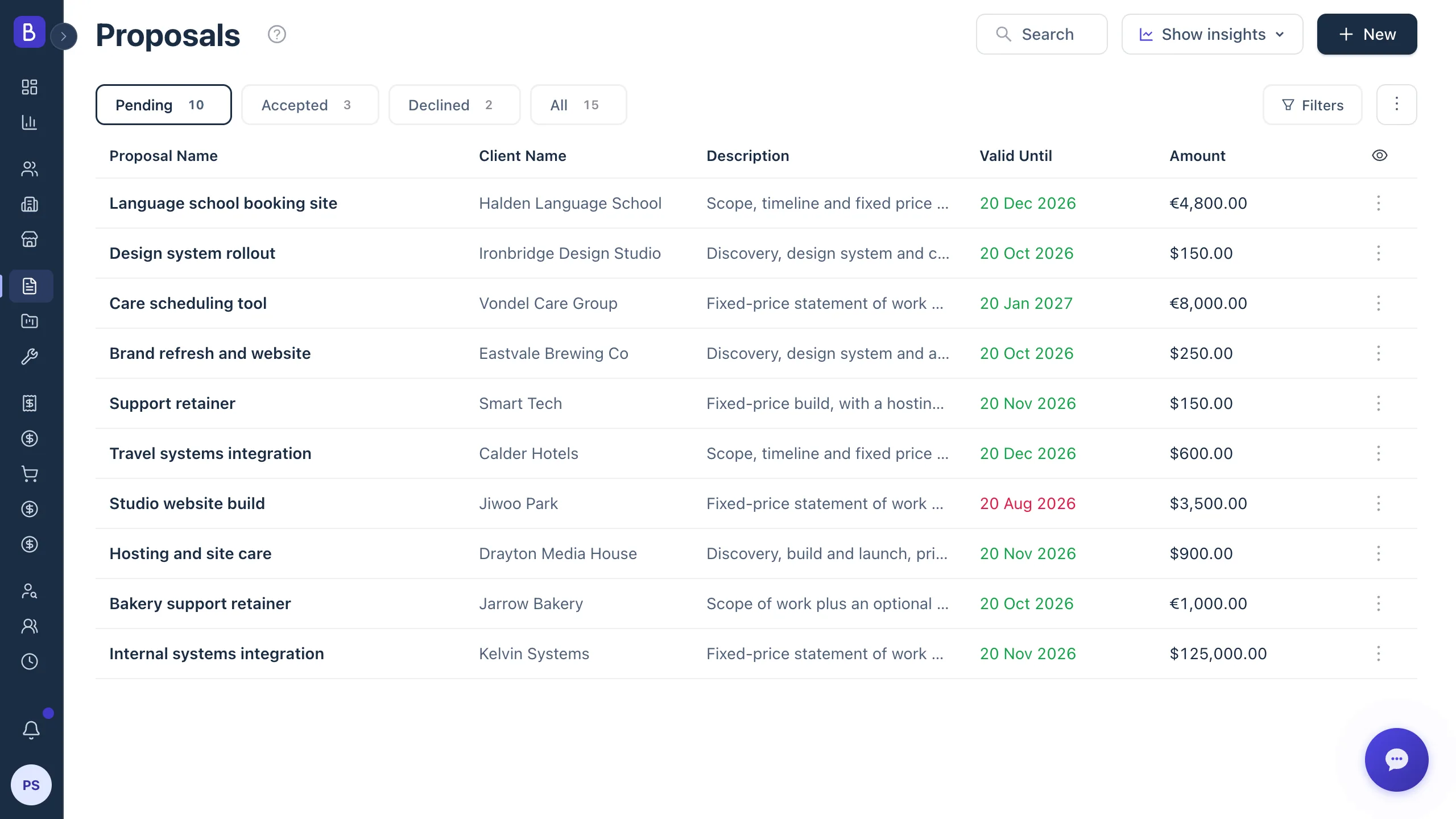
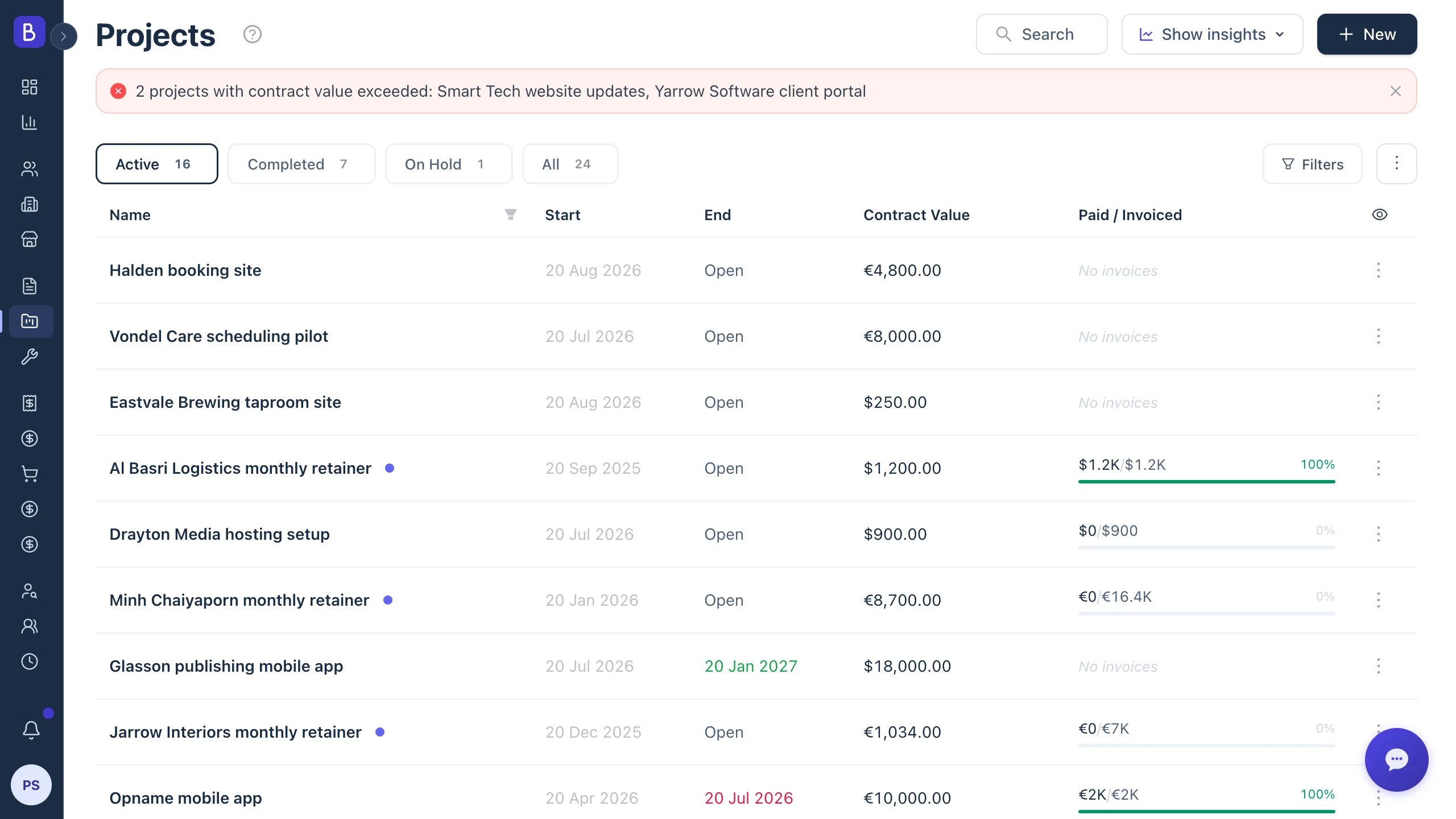
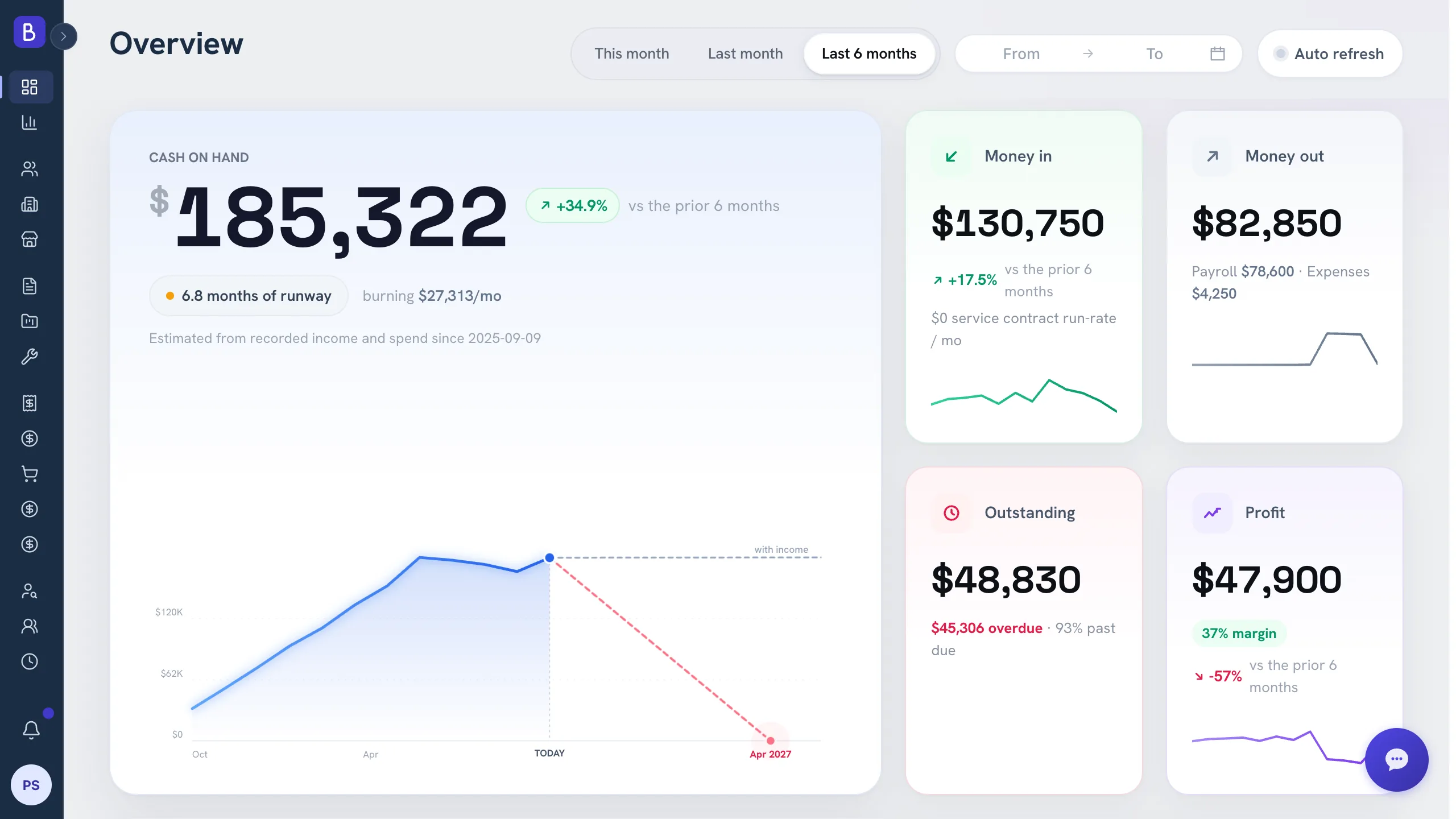
Integrated business software for a service company is one platform where the work you sell, deliver, bill, and staff shares a single set of records, instead of five disconnected apps stitched together by a spreadsheet. For firms of 5 to 50 people, the practical version of this is called professional services automation, or PSA: proposals, projects, clients, invoicing, and people in one place.
Use this if your team spends real time checking whether two systems agree, or if a spreadsheet exists only to connect your other tools.
What is PSA software?
Professional services automation is software that runs the operating core of a firm that sells expertise: turning a proposal into a project, tracking who is doing the work, billing for it, and reporting on whether it was profitable. Traditional PSA was built for large consultancies with dedicated operations teams. The professional services automation category has since widened to include lighter tools aimed at small firms that need the same connected flow without a long rollout.
The difference between PSA and a pile of point tools is that PSA treats the client engagement as one continuous record. A task board manages tasks. A PSA manages the deal: what was sold, what is being delivered, what has been billed, and what has been collected, all against the same client.
The five-tool problem is really a trust problem
Most small service firms do not choose disconnected tools on purpose. They add one app for sales, one for projects, one for invoices, one for people, and one for reporting, each solving a local problem. The cost arrives later, when nobody can fully trust any single number because they do not know if it has been updated everywhere.
- The project board says a project is nearly done, but the client has not been invoiced for the second milestone.
- The contact record says a client is active, without the context that they were unhappy about a missed deadline.
- A new hire has to be trained on five separate systems before they can do their job.
When you need a spreadsheet to reconcile your other tools, you do not have a system. You have a collection of apps with a person serving as the integration layer.
Run a tool audit first
Before consolidating anything, list every tool and answer six questions for each:
- What job does it do?
- Who owns the data in it?
- What data has to move in or out?
- What breaks if someone forgets to update it?
- How often does the team enter the same information twice?
- Which report cannot be trusted without manual cleanup?
The audit almost always reveals a few tools that earn their place and a few that exist only because another tool is disconnected. Those are the ones to consolidate first.
Where integration actually pays off
Not every connection is worth building. The highest-value ones for a service firm are:
- Proposal to project, so approved work does not get retyped.
- Project to invoice, so delivered work always gets billed.
- Client to full history, so anyone can see the relationship.
- Team assignment to project capacity, so you know who is free.
- Invoice to payment status, so collection is visible.
If those five flow cleanly, most of the daily reconciliation disappears. An all-in-one platform can cover them natively, which is different from syncing separate databases with automation rules that break whenever one app changes.
Do not fix disconnection with more integrations
The tempting path is to bridge your existing tools with automation rules. It works until it does not. Every time one tool changes, a bridge can break silently, and a deal that closed in one system never creates the project in another. Sync rules move confusion faster. They do not remove it. For a small firm, native coverage of the core workflows is usually cheaper to run than a web of fragile connections you have to maintain.
Light integration, not ERP
Integrated does not mean heavyweight. A 5 to 50 person firm does not need manufacturing modules, inventory logic, or a long implementation before it can send an invoice. It needs the handoffs between the things it already does every day to stop leaking. This is also why the CRM plus project tool debate matters: a combined client and project record fixes the exact place where sales context dies at kickoff and delivery context dies at renewal, which the guide on why CRM and project management should be one platform covers in detail.
Give every record a single source of truth
Consolidation only works if each core record has one home that everyone trusts. Decide, on purpose, which system owns the client, the contact, the proposal, the project, the invoice, the payment, and the employee. When two systems both claim to own the same record, someone eventually has to ask which one is right, and that question is a symptom of an operating-design problem, not a software bug. Write the ownership down before you migrate anything, so the platform you consolidate onto inherits clean rules instead of the old confusion running at higher speed.
Migrate in phases, not all at once
You do not have to move every historical record before you see value. Start with new clients and active projects, then bring in recurring contracts, open invoices, and your highest-value accounts. Archive old data you need for reference but not daily work. A phased move keeps the team operating while the connected core takes shape, and it avoids the classic mistake of pouring a messy database into a new tool and calling it an upgrade. The goal is not a perfect archive. It is a cleaner path from opportunity to delivery to payment.
How to know it is time to consolidate
Watch for these signals:
- A spreadsheet exists only to connect two other tools.
- New hires need training on five or more systems before they are useful.
- Your weekly meeting spends more than ten minutes on "wait, what is the status of that?"
- You have lost real money because information did not move from one system to another: a missed invoice, an approved proposal that never became a project, a client who left before anyone saw the warning signs.
When you start comparing options, an honest comparison of platforms against how you actually sell and deliver matters more than a feature checklist.