The best recurring billing is prepared automatically, approved by a person
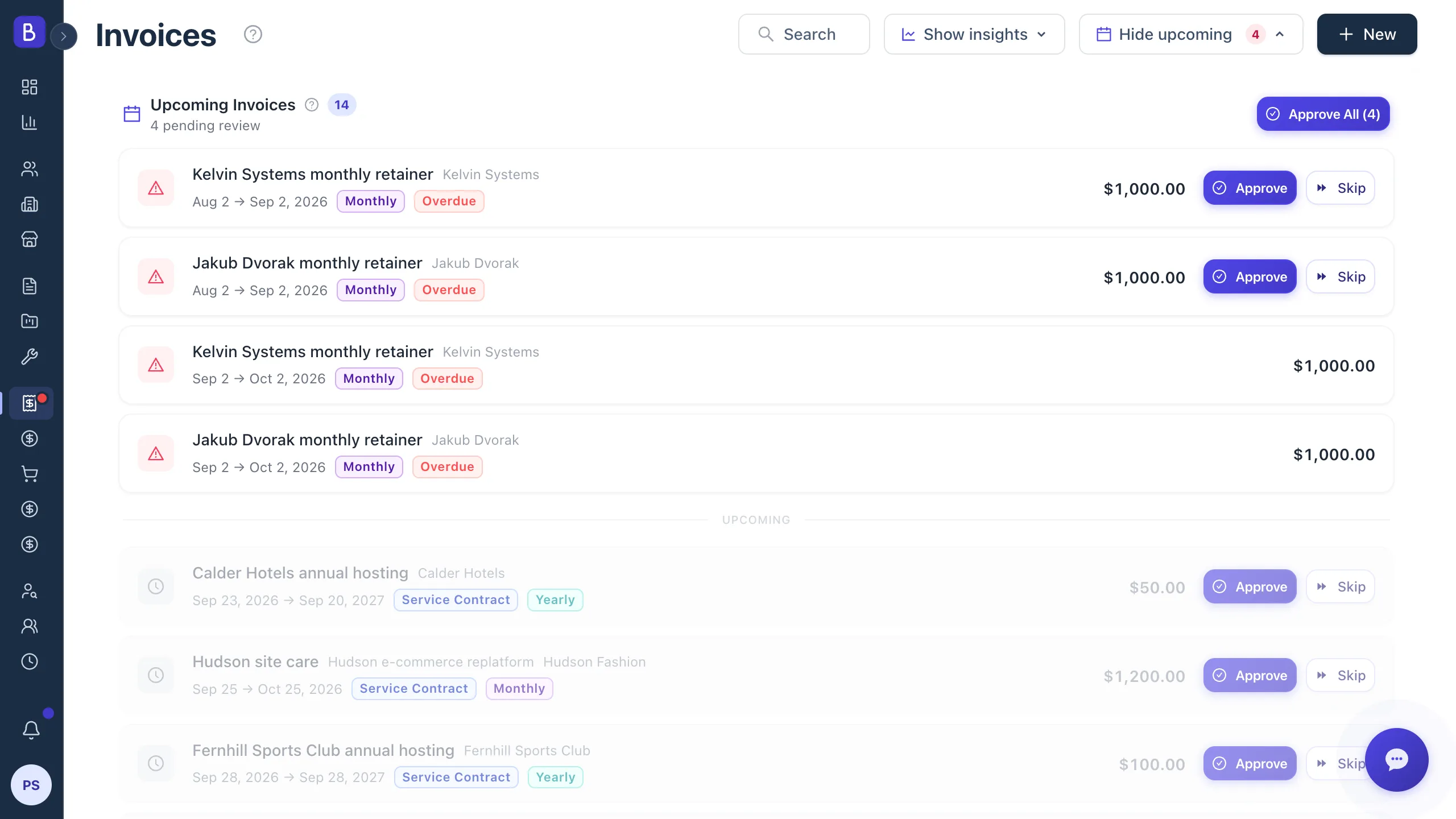
The best practice for recurring invoicing is not full automation. It is preparation plus a quick human approval. A billing process should assemble each recurring invoice with the right amount, client, and coverage period ready to go, and then let a person glance at the queue and approve, so a paused client or a stale amount never goes out on autopilot.
Use this if you either retype recurring invoices by hand every cycle, or fire them automatically and occasionally send the wrong one.
Why approval beats blind automation
Fully automated billing feels efficient until a contract changes. A client pauses for a month, a rate gets renegotiated, a credit applies, and the automation does not know. The trouble with a recurring error is that it is not a one-time mistake: the same wrong amount goes out every period until someone catches it. A billing error on a single invoice is embarrassing. The same error repeating for six months damages trust.
The stronger model generates upcoming invoices automatically, then presents them in a review queue. Someone opens the queue, sees everything due, edits the exceptions, skips the ones that should not send, and approves the rest. For most agencies this is a short weekly routine, and it buys certainty that every invoice a client receives was seen by a person first.
Make period coverage obvious on the invoice
A recurring invoice bills for a specific window of time, and the client should be able to see exactly which window without asking. State the coverage period on the invoice, such as service for 1 to 31 March, reference the contract or milestone, and keep the description consistent from cycle to cycle. Clear period coverage prevents the most common recurring-billing dispute: a client who thinks they are being billed twice for the same month because two invoices look identical.
Pull the amount from the source, not a saved template
A frequent recurring-billing error is the stale amount. A contract moves from one monthly figure to a higher one, someone updates the agreement, but the billing template still carries the old number. Avoid this by taking the amount from the current contract or project record at the moment the invoice is prepared, not from a cached copy. Update the source once and every future invoice reflects it. The same rule applies to client billing details: pull the current contact and address each cycle, so a client who moved their finance contact does not keep receiving invoices at a dead address.
Handle partial payments cleanly
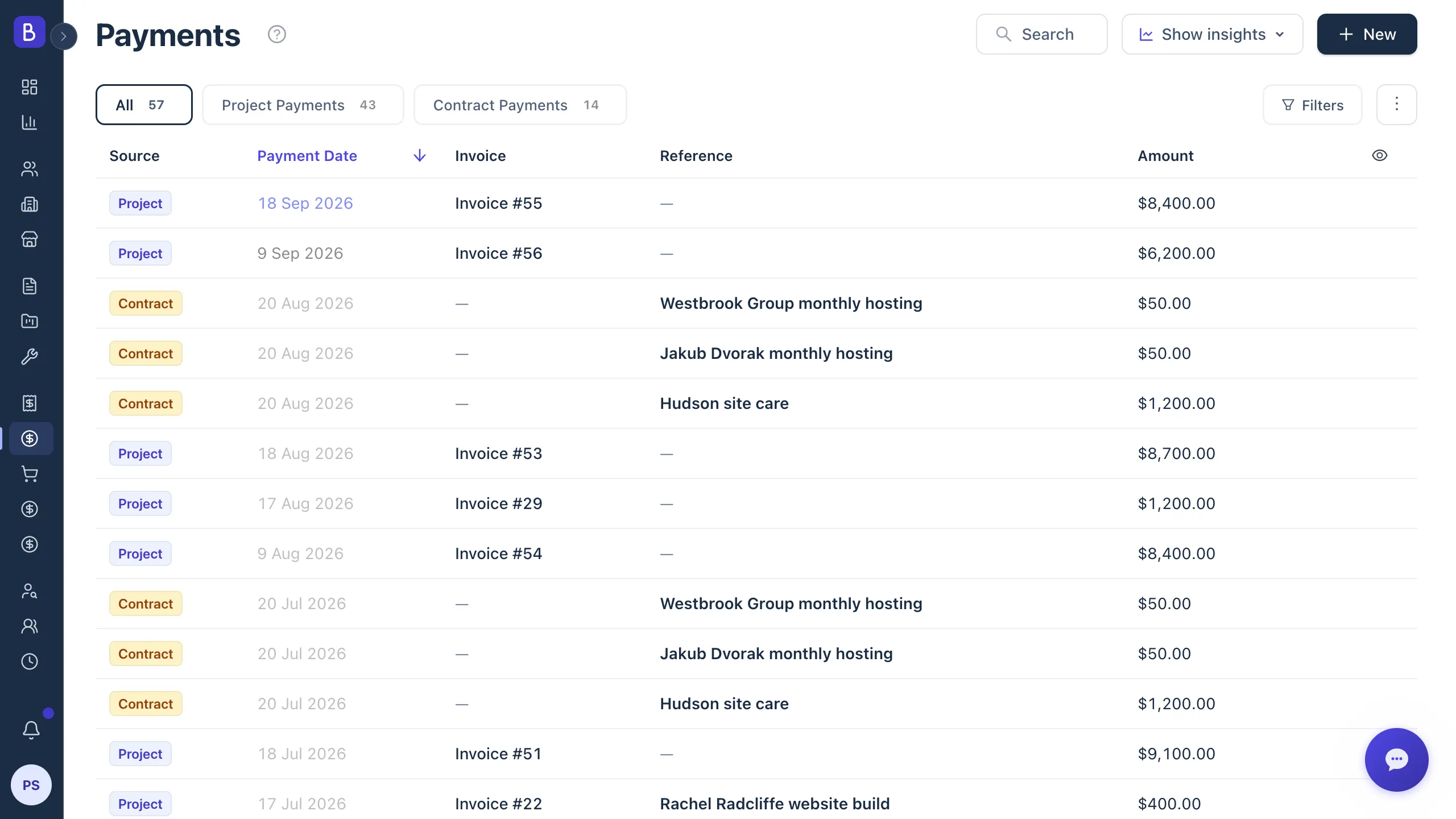
Recurring clients do not always pay in full in one go. A good process tracks partial payments against the invoice and updates its status automatically: partially paid when some money arrives, complete when the full amount is collected, and back to open if a payment is later reversed. This matters for recurring billing because you need the collection rate over time, not just the status of one invoice. If a client consistently pays two weeks late every cycle, that is a pattern to raise at renewal, and it only shows up if payments are tracked against each period. This is the natural companion to retainer billing, where the same fixed amount recurs and the only real variable is whether it was collected on time.
Expect a handful of exceptions every cycle
A recurring run is mostly routine with a few exceptions, and the exceptions are exactly where errors hide. Keep a short mental list of what to watch for each cycle: a client on pause, a contract upgraded or downgraded, a one-time credit, a changed purchase order, a new billing contact, a changed tax rule, or a prior invoice still in dispute. If these live in someone's inbox, the recurring run will miss them. Keep each exception linked to the client or contract it belongs to, so the person approving the queue sees it in context rather than remembering it under pressure.
Record a reason for every skip
Skipping a period should never be silent. Require a short reason, such as service paused, credit applied, contract ended, or manual billing needed, and keep it in the record. A skip with a reason is an auditable decision. A skip with no reason is a gap that looks identical to a mistake when someone reviews the month later, and it is the kind of thing an accounts payable team eventually flags back to you.
Multi-currency hygiene
Agencies often bill clients across borders, with different clients on the same monthly cycle paying in different currencies. Keep it clean with a few rules:
- Store the currency on the contract, and let each invoice inherit it. Do not convert on the invoice.
- Format amounts by their currency code, so a figure never reads ambiguously to a client in another country.
- Once you start billing a client in a given currency, do not switch mid-contract. If you must change, do it at renewal with a new agreement.
Currency drift mid-contract creates reconciliation headaches on both sides. Decide upfront how you handle small underpayments caused by transfer fees or rate changes.
Catch missed periods before the client does
The hardest recurring-billing error to spot is the invoice that simply never got created. Nothing is wrong on screen. Something is just absent, and absence is harder to notice than a visible mistake. Guard against it with a view that shows every recurring contract and its next expected invoice, so a missing one stands out. Before closing each month, confirm the prepared invoices, the sent invoices, the skipped ones (with a reason recorded), any failed payments, and any contract changes.
Connected invoicing supports this by preparing recurring invoices for approval rather than sending them blind, and by keeping the schedule, coverage period, and payment status in one place.
Start from a clean audit
If you bill recurring clients manually today, start by listing every recurring relationship: client, amount, frequency, currency, and current status. This one audit usually surfaces a contract or two that has been under-billed or forgotten. Then move to an approval-based routine before you ever consider auto-send, because starting automation on messy data just automates the mess. If you only need to send the occasional clean one-off invoice while you get organized, a free invoice generator produces a professional invoice with no signup.