An operations assistant is only as good as your records
An AI assistant for business operations lets you ask questions about your own company data in plain English and get an answer in seconds, instead of clicking through filters or building a report. Its usefulness is bounded by one thing: the assistant is only as reliable as the records underneath it, so it is best for quick operational questions and worst for anything your data cannot actually support.
Use this if you want faster answers about your own operations but do not want confident guesses driving real decisions.
What can you ask a business operations assistant?
The sweet spot is questions that combine records you already keep but would otherwise cross-reference by hand:
- Which clients have both an active project and an overdue invoice?
- Which invoices are unpaid and tied to a currently active client?
- Which maintenance contracts renew in the next 60 days?
- Which projects have no assigned owner?
- Which client owes us the most right now?
None of these are hard questions. They are just annoying to answer manually, which is why people often skip them and work reactively instead. When each small question is answered in seconds, meetings get shorter and decisions get faster. An AI assistant that reads your workspace data answers exactly this kind of plain-language question.
Why plain English matters more than it sounds
Dashboards only answer questions someone anticipated when they built them. Anything else means exporting, filtering, and calculating by hand, which is enough friction that most people do not bother. Removing that friction changes behavior more than it changes the data: the same information gets consulted far more often simply because asking is easy. The people who benefit most are usually not the technical ones. They are account managers, operations leads, and owners who need an answer and want to move on.
Bad records give you bad answers
This is the honest limit. An operations assistant reads your data. It does not invent missing facts. If half your projects have no owner recorded, "which projects have no owner?" will look alarmingly long, and it should. If invoices are logged inconsistently, a revenue answer inherits that inconsistency. The assistant does not fix data quality. It exposes it. That is often useful in itself, but it means an integrated system where the records already connect gives far better answers than a scatter of disconnected tools. The case for that foundation is in the guide on why service companies need integrated tools.
What to check before trusting an answer
Treat the assistant as a fast first pass, not a final source, especially for anything financial:
- Completeness: is the underlying data actually all there? A "total unpaid" figure is only right if every invoice is recorded.
- Definitions: make sure "active", "overdue", or "this quarter" mean what you think they mean.
- Edge cases: partially paid invoices, refunds, and date boundaries are where quick answers most often drift.
- Sanity: if a number will go into a board pack or a client conversation, confirm it against the source record first.
A good assistant makes this easy by pointing back to the records behind an answer, so you can open the project, invoice, or client it used.
Be specific to get a useful answer
Vague questions get vague answers. "How are we doing?" forces the assistant to guess what you mean, and it may guess wrong. "What is our total invoiced amount for the last quarter?" is precise and answerable. The habit that makes an operations assistant genuinely useful is asking one clear question at a time, with the entity, the metric, and the time window named.
Set boundaries on what the assistant can see
Operations questions can touch clients, payments, employee records, contracts, and notes, so decide up front what the assistant is allowed to read. Access should follow the same rules as the underlying data: if a person cannot see financial records in the normal interface, a conversational one should not become a side door to them. Making the interface friendlier should never quietly widen who can reach sensitive information, and the safest assistants inherit the exact permissions a user already has rather than bypassing them.
Watch for the confident wrong answer
The failure mode that matters is not the assistant saying it does not know. It is a fluent, confident answer built on incomplete or inconsistent data. An assistant might report a client as healthy because their projects are on time, while missing that the decision maker has stopped replying, because that context lives in notes it did not weigh. Treat every answer as a starting point that points you at the underlying records, not a verdict. The useful posture is to let the assistant surface patterns and shortlist what needs attention, then have a person confirm anything that carries real consequences.
Where an assistant does not belong
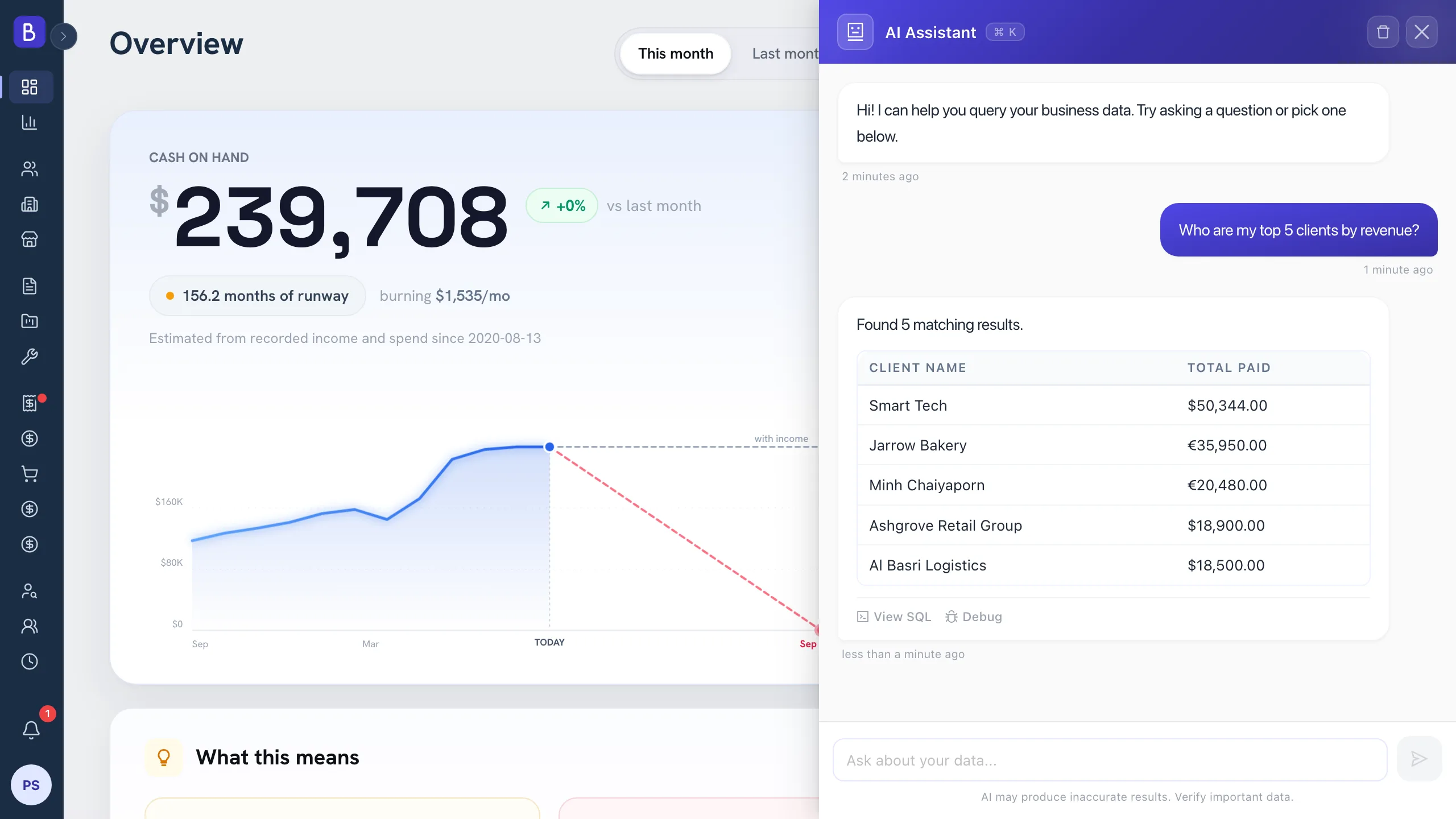
An assistant is a question layer, not an analysis engine. It is excellent at "top five clients by revenue" or "average project duration". It is the wrong tool for a full profitability model that has to weigh labor cost, overhead, and payment timing together, which is proper work for a considered look at your analytics. And it should read data, not take irreversible actions. Identifying overdue invoices is helpful. Writing off a balance or pausing a client should stay a human decision.
A sensible way to start
Begin with read-only questions about work you already track: overdue invoices, upcoming renewals, projects missing an owner, clients with payment risk. A good first week is simply asking it the questions you would normally build a report for, then checking each answer against the source record until you trust it, because the checking itself quietly teaches you where the data is thin. Once the answers prove reliable and the team starts reaching for the assistant by habit, you will have learned two things at once: what your operations look like at a glance, and where your records still have gaps worth closing.